-
Shop
- Advanced Technologies
- AI Skills Mastery 2026 Collection
- Apple Accessories
- Baby & Toddler
- Baking & Desserts
- Bathroom
- Budget Travel
- Car Accessories
- Clean & DIY Beauty
- Cleaning & Home Care
- Dating & Social Skills
- Digital Resources
- AI & Technology
- Beauty
- Budgeting & Saving
- Car Buying & Ownership
- Cozy Feast Collection
- Electronics & Technology
- Entrepreneurship & Business Growth
- Financial Education
- Financial Independence
- Financial Mindset & Psychology
- Goal Setting
- Home Styling & Organization
- Kitchen & Recipes
- Leadership
- Mindfulness
- Mindset
- Online Business
- Parenting & Child Development
- Personal Style & Fashion
- Pet Lifestyle & Wellness
- Positive Thinking
- Sleep Improvement
- Smart Life with AI
- Stress Management & Relaxation
- Travel Planning
- Wellness
- Yoga & Fitness
- Yoga & Mind-Body Practices
- Education & Learning
- Family & Parenting
- Family Travel
- Fashion
- Accessories
- Alexander McQueen
- Bags
- Bags & Wallets
- Balenciaga
- Belts
- Blazers
- Blouses & Shirts
- Bottega Veneta
- Bottoms
- Brunello Cucinelli
- Burberry
- Chanel
- Chloé
- Clothing
- Dior
- Dolce & Gabbana
- Dresses
- Etro
- Fendi
- Gucci
- Hats & Hair Accessories
- Hoodies & Sweatshirts
- Jacquemus
- Jewelry
- Jil Sander
- Keychains
- Kiton
- Luggage
- Luggage Bags
- Miu Miu
- Off-White
- Outerwear
- Prada
- Rick Owens
- Saint Laurent
- Scarves
- Socks & Tights
- Sweaters & Cardigans
- The Row
- Tom Ford
- Tops & Shirts
- Valentino
- Valentino Garavani
- Versace
- Vivienne Westwood
- Watches
- Fashion Accessories
- Furniture
- Gadgets
- Halloween
- Health & Beauty
- Health & Wellness
- Home & Garden
- Home Electronics
- Home Supplies
- Kids & Babies
- Kitchen
- Lighting
- Party Planning & Hosting
- Patio, Lawn & Garden
- Personal Growth
- Pet Care
- Pet Supplies
- Pets
- Relationships & Dating
- Self-Care
- Shoes
- Smart Amazon Shopping
- Sport & Outdoors
- Super Deals
- Thanksgiving
- Travel
- Wealth
- Wealth Building
Which Smart Home Hub Is Best for Your Devices?

35% off on product page · save $6.46
Which Smart Home Hub Is Best for Your Devices?
Which Hub Is Best for Most Homes?
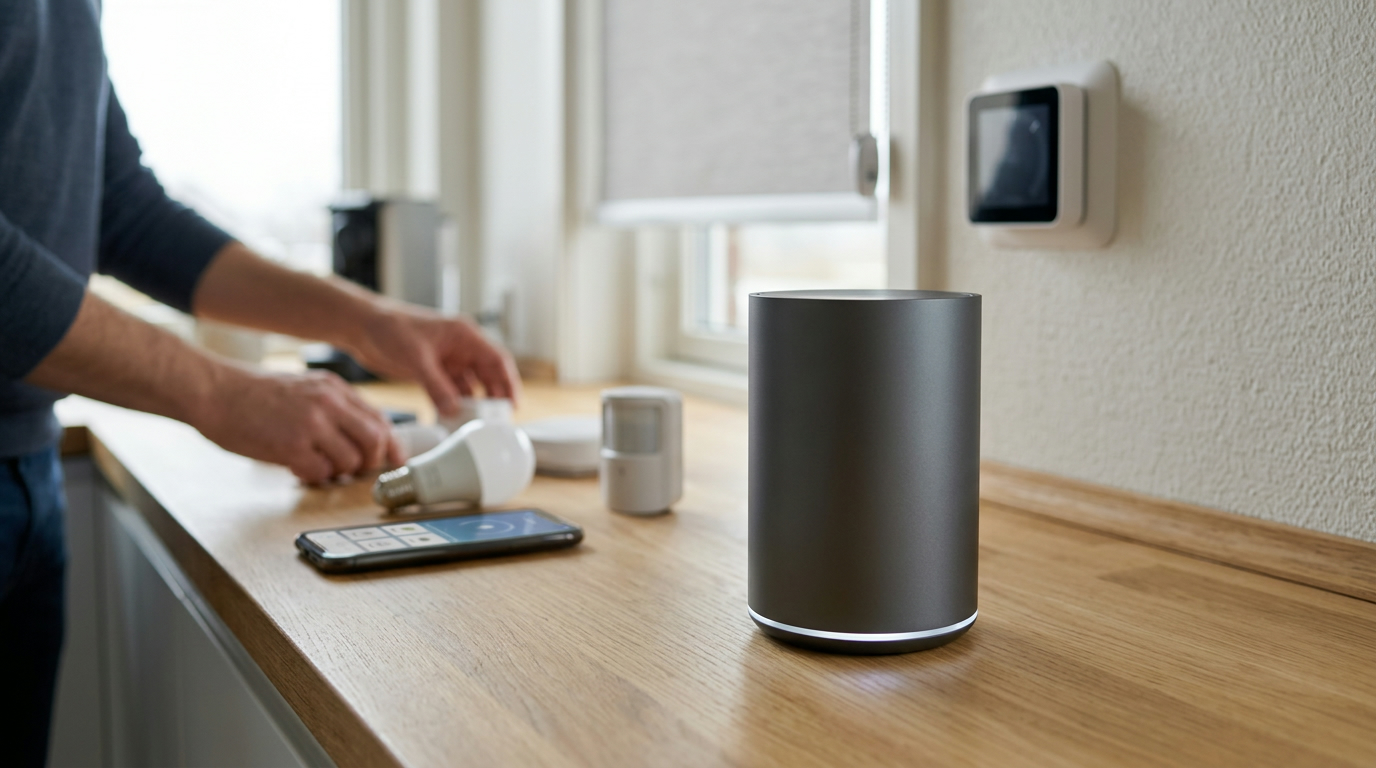
For many households, a current-generation Amazon Echo, Apple HomePod, or Google Nest Hub is the simplest starting point because it combines voice control with a familiar app. Before buying, check the exact model’s Matter controller and Thread border router capabilities; products within the same family do not always have identical hardware.
When Does a Dedicated Hub Make Sense?
A dedicated hub is worth considering if you have numerous sensors, switches, and automations that must work together consistently. Platforms such as SmartThings and Home Assistant offer broader customization, but check support for each device’s Zigbee, Z-Wave, Thread, or Wi-Fi connection before committing.

Featured in this guide
Smart Home Hubs Explained: Your Complete Guide to Understanding Smart Home Hubs
How Important Is Local Control?
Local control can keep supported automations running when your internet connection drops, though remote access and some voice features may still stop working. If outage resilience matters, verify which routines execute on the hub itself rather than in the cloud, and consider a battery backup for your router and hub.
What Should You Check Before Buying?
Make a list of your lights, locks, thermostats, cameras, and sensors, including their exact model numbers. Confirm compatibility in the hub maker’s current device list, then check whether the features you need—such as lock codes, camera viewing, or energy reports—work within your preferred app.
Leave room for future purchases, too: Matter support can simplify mixing brands, but it does not guarantee that every advanced device feature will carry over. For a closer comparison of hub choices, read which smart home hub is best for a smart home.
FAQ
What is the best smart home hub?
The best hub is the one that supports your existing devices and the routines you use every day. An Echo, HomePod, or Nest Hub may suit a straightforward setup, while SmartThings or Home Assistant may suit a more customized one.
Which smart home automation system is the best?
There is no single best system for every home. Apple Home is a strong fit for an Apple-centered household, while Home Assistant offers extensive customization for someone willing to manage a more hands-on setup.
See if Smart Home Hubs Explained: Your Complete Guide to Understanding Smart Home Hubs fits your setup
Was this article helpful?
Yes
No








Leave a comment